
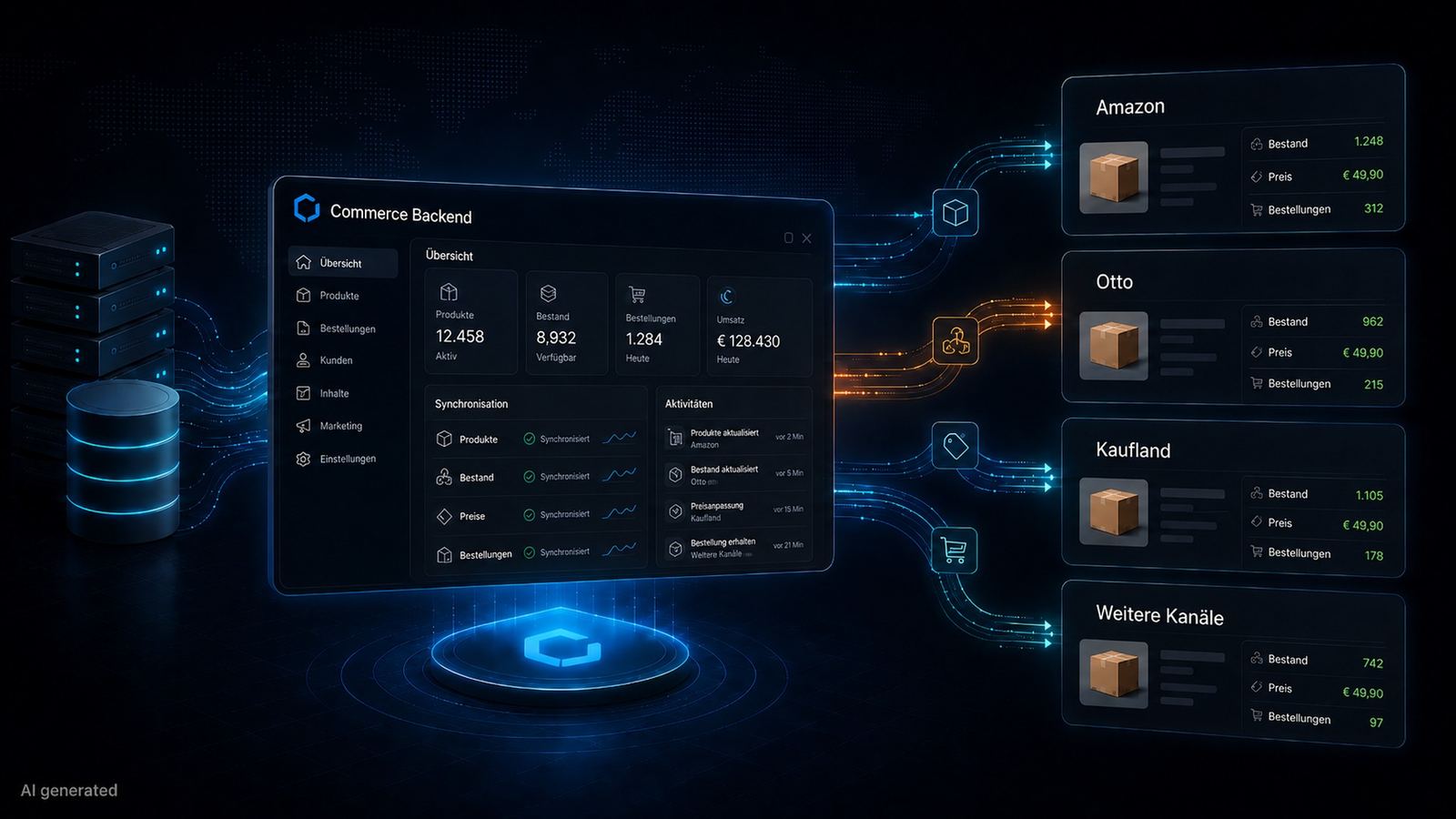
Anyone looking to connect their Shopware store with major marketplaces like Amazon, Otto, or Kaufland is quickly faced with a fundamental question: How can this be integrated cleanly without stock levels, prices, and orders diverging across channels? This article explains what a technically solid marketplace integration in Shopware looks like and what matters most during setup.
Why Manual Management Doesn't Work
Running marketplaces and your own online shop in parallel while manually synchronizing product data, inventory, and orders is a recipe for ongoing operational risk. A product that is already sold out in your own shop but still listed as available on Amazon inevitably leads to cancellations, poor reviews, and, in the worst-case scenario, the suspension of your seller account. Such a setup simply cannot scale. Past a certain product volume and order frequency, manual maintenance is no longer reliable or feasible.
The Three Levels of a Professional Marketplace Integration
A clean integration always covers three central core areas:
- Product Transmission: Standard items, variants, images, descriptions, and category mappings must be accurately translated into the respective marketplace format. Every marketplace uses its own data structures and mandatory fields – Amazon, for instance, differs significantly from Otto or Kaufland.
- Inventory Synchronization: Stock quantities must be synchronized automatically in real-time or at very short intervals – across all sales channels simultaneously.
- Order Import: Orders placed on a marketplace must be automatically imported into Shopware and seamlessly transferred into your existing backend workflows (including the automatic transmission of shipping confirmations back to the marketplace).
What Integration Options Exist for Shopware?
There are different architectural paths to technically implement this within Shopware:
Specialized Middleware Solutions
Systems like Rithum, Plentymarkets, or Channable act as an intelligent intermediary layer. They connect Shopware to multiple marketplaces at the same time. This is particularly useful if you plan to operate on a large number of channels simultaneously.
Direct Shopware Plugins
For single, more focused marketplace projects, there are direct plugins available (e.g., for Amazon or eBay) that allow for a leaner integration without the need for external third-party systems. The right path depends individually on the number of marketplaces, your product volume, and your available budget.
Common Mistakes in Marketplace Integration
The most critical mistake is incomplete product data maintenance within the Shopware backend itself. If product data in your own shop has gaps – such as missing GTINs (EANs), missing manufacturer part numbers, or inaccurate category assignments – it is impossible to build a clean marketplace export from it. Platforms like Amazon have extremely strict requirements regarding data quality and consistently reject incomplete listings. The integration is only ever as good as the underlying data quality in Shopware.
Another frequent error is the lack of price differentiation. Listing identical prices on marketplaces as in your own online shop completely ignores the marketplace commission fees. Marketplace prices must strategically calculate these fees; otherwise, you risk selling there with a significantly reduced or even negative margin.
What a Good Integration Delivers
A technically sound marketplace integration runs invisibly in the background – without the need for daily manual interventions. Inventory remains synchronized across all channels, orders flow directly into the standard Shopware workflow, and price changes are transferred automatically. This establishes the necessary foundation to use external marketplaces as a scalable sales channel instead of a source of operational overhead.
Looking to build your marketplace integration in Shopware from scratch or optimize an existing setup? We bring the technical expertise to the table and are happy to analyze your system architecture in an initial, non-binding consultation. Let’s automate your processes together!